
Netspend
Netspend CorporationFinance
4.622.17K Reviews
- Version
- 7.0.15
- Installs
- 10.00M
- Age Rating
- Everyone
Screenshots
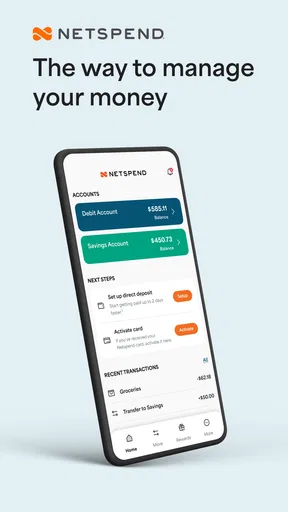
Our Review of Netspend
 Analysis by Appyee
Managing money from a phone sounds simple until a payment needs checking at the exact moment you are standing in a shop, waiting for a transfer, or trying to work out whether your balance covers the next bill. That is where Netspend makes its case. I found it most useful as a mobile companion for keeping an eye on a Netspend account while moving through ordinary, slightly messy parts of the day. It is not trying to replace every banking tool on your phone; its value is more focused, especially for people who want their prepaid-money activity close at hand.
Developed by Netspend Corporation, this free finance app has been available since May 23, 2011. Its age rating is Everyone, and the current release is version 7.0.15 for devices running iOS 9 or later. The broad adoption is easy to understand: it has passed ten million installs, with an average rating of 4.6 from roughly 175 thousand ratings and about 22 thousand written reviews. Those figures suggest a mature product that many people rely on, although popularity alone does not guarantee that it will suit the way you handle money.
How connectivity changes the everyday experience
I find connectivity shapes more than how quickly Netspend opens; it affects whether I can make a sound decision at the moment I need one. I use a stable connection for checks that could change what I buy or how I respond to an unfamiliar transaction, and I save troubleshooting for when I can give it proper attention. That distinction leads naturally to the practical question of how to handle account information when the connection is unreliable.
The moments when a live connection matters
The app feels most valuable when I need current account information rather than a general financial overview. Before paying for groceries, for example, I can check the available balance instead of relying on memory or an old notification. That small step can prevent an awkward declined transaction, particularly when several purchases have happened since the last time I looked. The usefulness depends on the app being able to reach its service at that moment, so a reliable mobile connection or Wi-Fi is part of the experience, not a minor extra.
The same applies when I am checking activity after a purchase. A recent transaction can help me distinguish between a payment I recognize and one that needs attention. In a busy day, that is more practical than waiting until I am back at a computer. I would still treat a displayed balance as a snapshot rather than a promise that every pending card event has settled. Money movement can take time to appear or change, and the sensible habit is to leave a little room instead of spending right up to the last visible amount.
Connectivity also affects the emotional side of finance apps. When the screen loads quickly, Netspend can make a short check feel routine. When the network is weak, the same task becomes uncertain: am I looking at current information, or am I waiting for the app to finish? I do not use a slow connection as a reason to keep tapping repeatedly. I wait, retry once, and verify the result before making a decision. That approach is less frustrating and avoids treating an incomplete screen as a confirmed account update.
Using it while moving around
Netspend fits mobile situations better than a traditional desktop-only account page. I can imagine using it on a commute, outside a store, or during a quick break at work. The interface is aimed at short visits rather than long financial sessions, which suits the basic questions people ask on a phone: what is available, what has recently happened, and whether an account action appears to have gone through.
That convenience has a trade-off. A phone screen encourages quick decisions, while financial information deserves a slower look when something seems unusual. If a transaction description is unfamiliar, I would not dismiss it just because the amount looks small. I would note the merchant, date, and context, then investigate through the appropriate account support route if it still does not make sense. The app can help me notice a problem, but it should not encourage careless conclusions from a glance.
For travel or crowded public places, I would prepare before leaving a dependable connection. Checking the account while walking through a station or standing in a checkout line is possible, but it is not the best time to troubleshoot a failed load. A quick review at home can tell me what I expect to see, leaving the mobile app for confirmation rather than making it the only source of information during a time-sensitive purchase.
What happens when the connection fails
The most important limitation is straightforward: current finance information requires communication with the service. If the network drops, the app may not be able to refresh what I need. I would not assume that a screen showing previously loaded information represents the latest balance or activity. That distinction matters more here than it would in a notes app or a downloaded game, because stale information can lead directly to a poor spending decision.
My recovery routine is simple. First, I check whether other apps can reach the internet, which separates a general connection problem from an issue with the service. Next, I close the app only if it appears stuck, reopen it when the connection is stable, and look for a clear refreshed result. If a purchase is time-sensitive, I avoid repeating an action merely because the first attempt did not immediately show confirmation. Duplicate attempts are an unnecessary risk when the original request may still be processing.
If the app continues to behave unexpectedly, I move to a larger screen or another trusted access method when available and contact Netspend through its official support channels. I keep the time, amount, and merchant details ready rather than describing the issue vaguely. This is one of the less glamorous but more useful habits with any money app: good notes make recovery faster, while repeated tapping rarely fixes a service or connection problem.
Keeping mobile data use sensible
I would not choose Netspend because I expect it to replace a full financial management system. Its strongest role is targeted checking, and that also makes it easier to use carefully on a limited data plan. I open it when I have a specific question, allow the account view to load, review the relevant activity, and close it when finished. There is little benefit in refreshing the same balance over and over during a normal day.
Wi-Fi is useful for setup, updates, or a longer review, while a mobile connection is convenient for a quick check away from home. I also prefer to avoid checking sensitive financial details on an unknown public network. That is not a criticism unique to Netspend; it is simply a sensible boundary for any app handling account information. A trustworthy connection and a locked phone matter as much as the app itself.
Another practical tip is to separate monitoring from planning. Netspend can help me see what is happening with the account, but I would not use a single live balance as my entire budget. I keep upcoming obligations in a separate plan and leave a buffer for transactions that have not fully appeared. This makes the app a useful source of current awareness without asking it to perform a job it was not designed to perform.
Where it fits among finance alternatives
Compared with a conventional bank app, Netspend is more relevant to someone whose everyday spending is organized around a Netspend account rather than a broad bank relationship. A bank app may be the better home for mortgages, savings goals, multiple accounts, detailed statements, and a wider view of household finances. If those are my main needs, adding another finance app could create more places to check instead of simplifying anything.
Compared with a spreadsheet or budgeting app, Netspend has the advantage of being tied to the account activity I actually need to monitor. A spreadsheet gives me more control over categories, forecasts, and custom rules, but it also depends on my discipline and manual updates. I would use a spreadsheet alongside Netspend if I wanted a detailed monthly plan, not instead of checking the account itself.
Compared with using a mobile browser, the dedicated app is more natural for repeated short visits. A browser can be useful when I am on a computer or troubleshooting access, but an installed finance app removes some of the friction of navigating to an account page each time. The trade-off is that the app becomes another sensitive item on my phone, so I would keep the device protected and avoid leaving an account screen open in public.
Who gets the most from it
I think Netspend is a good match for someone who already uses Netspend and wants a convenient way to stay aware of account activity while away from a desk. It is particularly helpful for people who make frequent small purchases and want to check their available money before spending. It can also suit a user who prefers a focused account companion over a complicated financial dashboard filled with tools they never use.
The app is less convincing for someone searching for a complete budgeting platform. If I need investment tracking, detailed household planning, extensive account aggregation, or a powerful reporting system, I would look toward a broader finance product or my primary bank’s tools. Netspend may still have a place for account checks, but it would not be the center of that workflow.
I would also hesitate to rely on it as the only way to handle urgent account problems. A phone app is convenient, yet connection failures, device problems, and delayed updates can happen at inconvenient times. Keeping important account details accessible through an official alternative and knowing how to reach support gives me a safer backup than assuming the app will always load perfectly.
A realistic day with the app
Imagine I am heading to work with several errands planned. Before leaving home, I check the account over Wi-Fi and note the available amount, while remembering that a comfortable buffer is wiser than spending the exact displayed figure. At lunch, I use the app on mobile data before paying for an unexpected purchase. The check takes only a moment, but it gives me a better basis for the decision than guessing from yesterday’s balance.
Later, I see an activity entry that I do not immediately recognize. Instead of repeatedly refreshing, I record the merchant and amount, think back to the day’s purchases, and decide whether it needs follow-up. If the connection is poor on the ride home, I wait until I can connect reliably. That sequence shows the app at its best: it supports awareness at useful moments, while my own judgment handles timing, buffers, and unusual activity.
There is also a less successful version of the same day. I am in a basement shop with a weak signal, the account view does not refresh, and I assume the old screen is current. That is exactly the situation where I would not make a close-to-the-limit purchase based only on what I see. The app cannot remove the uncertainty created by missing connectivity, so planning ahead remains important.
Small habits that make it more reliable
I recommend opening the app with a purpose instead of treating it as something to browse constantly. A balance check before a planned purchase, an activity review after a busy spending period, and a confirmation after an important account action are clearer use cases than endless refreshing. This reduces data use, saves time, and makes it easier to notice when a result does not match what I expected.
I also compare the timing of the app’s information with the real-world event. A payment made moments ago may not be reflected immediately, so I avoid declaring success or failure solely from a brief delay. When the stakes are higher, I wait for a clear status or use official support rather than guessing. That patience is a genuine part of using mobile finance well, even when the app itself is responsive.
Finally, I keep the phone’s operating system and the app current when updates are offered, while remembering that compatibility still depends on the device environment. The listed minimum is iOS 9, which makes the app accessible to older Apple devices, but an older phone may still provide a less comfortable experience than a newer one. I would judge the app on the actual device I plan to use, especially if its connection or performance is already unreliable.
My connectivity verdict
Netspend works best when I view it as a connected account-monitoring tool, not as a substitute for financial planning or a guarantee that every money event will appear instantly. Its mobile format makes quick checks practical, and the large user base and strong average rating indicate that it has become a familiar choice for many account holders. The free price also removes an obvious barrier to trying it.
My recommendation is strongest for existing Netspend users who want account awareness during ordinary mobile moments. I would use it before spending, after a cluster of transactions, and whenever I need to investigate activity without reaching for a computer. I would pair it with a separate budget and a sensible backup plan for connection failures.
The key trade-off is convenience versus connectivity: when the service loads normally, the app turns a quick financial check into a manageable habit; when the network is weak or the information has not caught up with a recent event, careful judgment matters more than speed. For that focused purpose, Netspend is a practical companion. For users seeking an all-in-one financial command center, a broader alternative will likely be a better fit.
Overall, I would recommend Netspend to the person who wants their Netspend account within easy reach and understands the limits of live mobile information. It is straightforward, established, and useful in the moments that matter most, provided I use a reliable connection, leave room for timing differences, and treat the app as one part of a responsible money routine.
Verdict
Strengths of Netspend
- Mobile check deposit lets you add funds without visiting a reload location.
- Customizable transaction alerts can help monitor spending and account activity.
- The app supports card controls, including locking the card if it is misplaced.
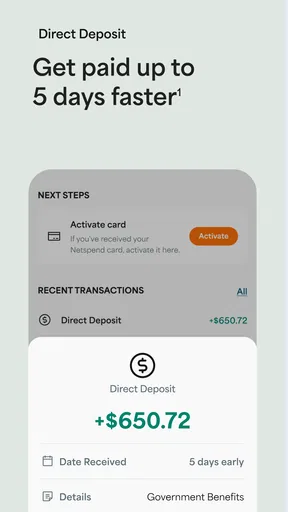
- Direct deposit may provide earlier access to eligible paychecks.
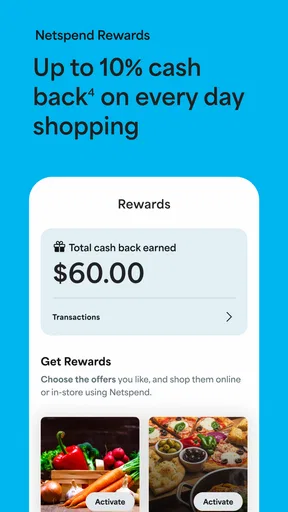
- In-app budgeting tools can make it easier to track balances and purchases.
Limitations of Netspend
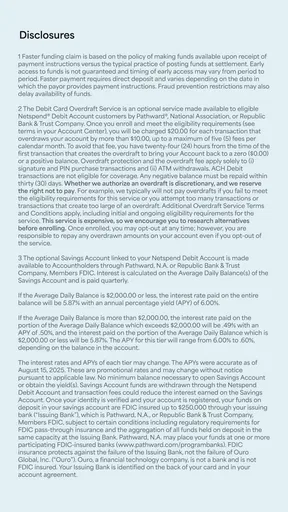
- Some features and services may involve monthly, reload, or transaction fees.
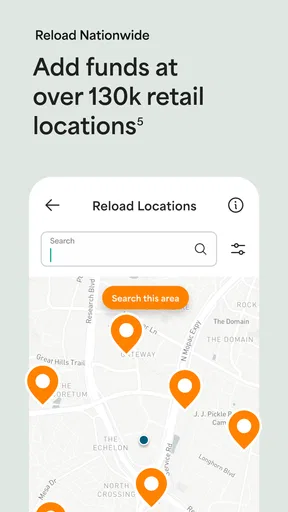
- Cash reload availability and fees vary by retailer and location.
- Not all users qualify for early direct deposit or every account feature.
- Customer support experiences may vary, especially for account-related issues.
- As a prepaid account, it may not offer the benefits of a traditional bank account.
Similar Picks in This Category
View All
Google Wallet
Google LLC4.3

Airtel: Recharge, Bank & Loans
Airtel4.0

PayPal - Pay, Send, Save
PayPal Mobile4.2

DANA Indonesia Digital Wallet
PT Espay Debit Indonesia Koe4.5

Binance: Buy Bitcoin & Crypto
Binance Inc.4.8

Cash App
Block, Inc.4.7
Frequently Asked Questions
What is Netspend, and how does it work?
Netspend is a prepaid debit card and financial services app designed for managing everyday spending without requiring a traditional bank account. After signing up and completing identity verification, users can add money through supported methods, check their balance, review transactions, receive alerts, and use an eligible card for purchases or ATM withdrawals. Availability and features may vary by location and account type.
Is Netspend safe to use for managing money?
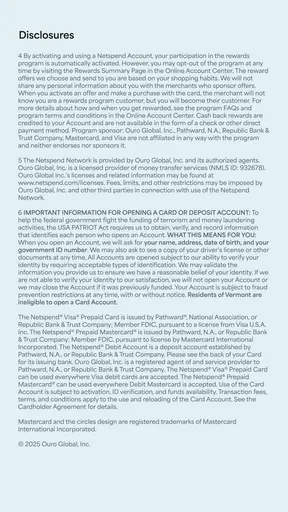
Netspend includes security features such as account login protection, transaction monitoring, card controls, and notifications that can help users identify suspicious activity quickly. However, it is still important to protect your password, avoid sharing verification codes, and contact support immediately if your card or account details are compromised. Netspend is not a traditional bank account, so users should review applicable protections and terms.
How can I add money to a Netspend account?
Depending on eligibility and location, users may be able to fund a Netspend account through direct deposit, bank transfers, mobile check deposit, tax refunds, or cash reload locations. Some funding methods may require verification, take time to process, or involve fees. Before adding money, check the current fee schedule and make sure the selected method is available for your specific Netspend account.
Does Netspend charge fees?
Netspend may charge fees for certain services, including monthly or pay-as-you-go account plans, ATM withdrawals, cash reloads, expedited card delivery, replacement cards, or other transactions. The exact cost depends on the plan and services selected. Users should carefully read the fee disclosures inside the app and on the official website, since fees and terms can change over time.
Can I use Netspend internationally or withdraw cash from ATMs?
A Netspend card can generally be used at participating merchants and eligible ATMs, subject to network acceptance, account status, and applicable restrictions. International use may not be supported everywhere and can involve foreign transaction, currency conversion, or ATM fees. Before traveling, confirm international availability, notify support if required, and review the cardholder agreement for current limitations.
